Showing posts with label scan2fax. Show all posts

Thursday, January 24, 2013

8 Talking Points for Selecting an Imaging/Copier Vendor

I've been in down the street office equipment sales for 33 years, over that time I've seen and heard it all when I meet with prospects who are considering a new vendor or manufacturer.

Many times... and by the way I just had a prospect email me today that price only is the driving factor as to who they will buy from.  I sent then back an email declining to offer a proposal. I work for a well respected dealer with an excellent support team and I won't compete with many of the fly by night dealerships that are out their.  Having one of my customers wait two to three days for on-service, a week for parts or not getting a return call is not an option!

Please consider the below points as more of an educational process to choose the right vendor for your needs.

Know your present and analyze your future needs: Since almost all MFP/Copiers are leased, you need to have a handle on your present and future needs. Will I need Network faxing or walk-up faxing, scan documents to email, scan to folder, walk up authentication, TWAIN scanning, Apple Air Print, envelopes, scan2cloud, scan2folders to a network drive, paper sizes needed to print, scan, fax or copy, color scan, color copy, color print.

Know what your existing costs are: How can you make a decision on a new product or service if you don't know your existing costs. Consider the cost of the current lease if any, cost of current print devices, costs for supplies, cost for service, cost for maintenance agreement, how many sheets of paper you have used for printing or copying in a week, month or year.

Sunday, May 13, 2012

Ricoh "Where's the ICE"?

Ice Ice Baby, Ice Ice Baby
All right stop, Collaborate and listen
Ice is back with my brand new invention
Something grabs a hold of me tightly

First four lines of "Ice Ice Baby" by Vanilla Ice, which brings me to Ricoh ICE (Integrated Cloud Environment)  solution or the lack of it. I was floored when I read the first three lines of the lyrics and I was tempted to change the lyrics for this blog.

 Last May 2011 at the Ricoh Vision Dealer Meeting we were told about Ricoh new ICE solution.  The solution in short would consist of three cloud solutions that would have an annual fee (need to make it monthly guys), the three packages were Silver and you get scan2email, scan2evernote (evernote provides it own OCE & searchable pdf), the GOLD packages adds scan2google docs, scan2box of OCR and Excel files (good for only 2 users and 4GB of space, PLATINUM increases users to 20 and adds an additional 16GB of space.

Last May Ricoh gave us a preview of ICE at the 2011 Ricoh Convergence Dealer Show,  I didn't go to the booth and I should have because I'm thinking ICE  was not even running at the time (I could be wrong). If you're going to run ICE or any othr Cloud solutions on a Ricoh MFP you'll need order the browser unit for $170,  I'm thinking that this should be standard with all of the systems, but a recent rumor had told me that the official launch is now slated for November of this year and not a Convergence which is set for the first week of June in Vegas.

I've been told that Ricoh Europe has had the browser units running on the European Ricoh MFP's for over a year now. I had know of one solution provider UDOCX is already supported Ricoh and Xerox systems with a "Cloud Based Document Processing Service" and today I just found Fabasoft which offers Cloud Integration to Ricoh MFP's.

I believe that Cloud Integration of MFP's offers end users a multitude of choices and services that can make companies just as productive as their employees.  While I'm at it I also believe that there needs to be open open operating systems for all MFP's.  Manufacturers needs to adopt the Andriod OS and I think you'll see terrific apps that will be developed for MFP's.

But, what I really wanted to talk about is that there are applications available right now that will allow your MFP to have some sizzle.  Dropbox, it's free, you can get 2GB of storage and guess what?  You can set this up as a scan2dropbox  folder right on the MFP. It's awesome, no more scanning to folder or scanning to email or emailing the document back to myself.  Wait.... Dropbox also has an Android app!  How cool is that, all of my files on my phone!  Walk up to the MFP press my dropbox button and away it goes.  How about adding a PS option to your customers MFP's, include it in the deal and make sure they set it up.  Then you'll be able to print from your dropbox account when you're at the customers office .

How about the UDOCX solution it's available in the US, it's not expensive and you'll have scan2sharepoint, cloud printing and scan2fax!
Point is, for most of us that are selling Ricoh or Savin, we're get our butts kicked with similar solutions that are already in place from other manufacturers.  Take the time to check out Dropbox, UDOCX and Fabasoft you'll be glad you did and you'll be on your way to selling cloud solutions.

Betcha I don't get an invite next year either :)

-=Good Selling=-

Monday, January 2, 2012

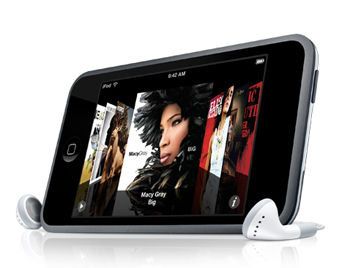
Ricoh Innovates with Scan2iPhone & Scan2iPod App

I've had an iPod touch for awhile, but never had the chance to play around with it. Over the last week or so, I've been having some fun with all of the different apps and games. I'll have to admit I love some of the games but hate the fact that they give you the opportunity to pay for additional features. Whatever, the game cost .99 cents and I think I dumped $20 bucks or so on upgrades, kinda wish I had that opportunity with PACMAN when I use to sit at the bar for hours dumping quarters into the machine.

Anyway, I downloaded the app for Ricoh Innovations for scanning documents on my iPod touch and this will also work with the iphone, not sure about the new droid phones.

So, under some not so good light at my desk I used the app to scan some pages. It's easy!!! You open the Ricoh app, take the picture and you'll then have the opportunity to deskew the document, clean the document or keep as is. When you're done you can them export to all these Google docs, email, Evernote, Dropbox, or export to your picture gallery. When exporting to everything but your picture gallery you send as a .pdf or .jpeg.

Within a minute or less I had the document in my Google docs and then sent to my email account. One of the nice features that I noticed is that once the document is sent it's not deleted, this enables you to send the document to another if needed. It kinda almost felt James Bondish, being able to take a picture of the document and have it captured and secured with one of my accounts.

The image quality is good. Keep in mind that you can tap the screen of the iPod or iPhone and you'll be able to focus and then see the AE lock on the screen.  I did not have the chance to export as a jpeg to see that quality. Keep in mind it's more for documents, sketches and stuff like that. Once I opened the doc, of course it was readable, but the quality kinda reminded me of a poor quality fax (but, I then realized that the document I captured was printed via inkjet printer and it was taken from an image from the web, thus 72dpi). I printed the document to my printer and it printed exactly what I scanned.

I'm thinking a better quality document will produce much better results and I really didn't have the time to run out to the car to get some good originals nor did I want to print from the inkjet. When I'm back in the office I'll give this a shot with some clean documents.

So, I'm thinking this is an awesome app, especially for those of us in the field. Instead of using scan2email or faxing the documents to the office. I can take a picture of them and email them or upload to my Google docs (this way I always have a copy of the documents).

It's the sizzle that sells the steak right? I'll going to incorporate this app into my presentations, and I was just thinking a neat demonstration would be to have email2print setup at the office and then just email the scanned page to the MFP's email address. That would be the sizzle!

Dam, I couldn't wait till I got to the office so I went to the car and pulled a clean original and processed through the Ricoh app. You know it did a very good job, not A1 perfect, but good enough for FREE and good enough to read and process documents!!!

-=Good Selling=-

Thursday, August 11, 2011

UDOCX and Scan2Fax "Eric the Office Worker"

When we last heard from Eric "the office worker" he was was our featured office worker in these blogs:  Eric the "Office Worker" Gets a Supra Wide Format!, Print Audit Green with "Eric the Office Worker" and Ecopy Desktop & "Eric the Office Worker" along with Ricoh's PPDM enables an Epiphany for Eric the  "Office Worker"

The last we heard of Eric, he was working for DigDug Systems in Frostberg, MD, since then Eric the "Office Worker" has moved back to New Jersey (home of Rhutts Dogs) and found a job with GigaHertz Power System in Wannakopier, NJ.

Over the years Eric has developed into a techie guru of sorts.  Eric's new job was to process order that were faxed to the company daily. He was one of 12 people that gathered the incoming order, entered the order in the system and then made of copy of the order for filing.  Eric alone (cause he was on top of his game) would process almost 100 orders per day and keep in mind that he was one of 12 users gathering documents from the three fax machines that were dedicated for inbound faxing.

Did I ever tell you Eric's last name?  It used to be Betterbid (sounds like a copier sales person name to me) and he got tired of that and had it changed to Sakash (whoa, sounds like another copier salesman's name too), but enough with Eric's name.  With three fax machines and 12 users there was a lot of jam ups at the fax machines, orders were getting mixed up, misplaced and lost!  Eric was also having a hard time with Wanda (you know Wanda, large girl, ornery and quite intimidating at the fax machines), Eric always waited for Wanda to finish getting her documents and then he'd meander and slither to the fax and lift his documents.

After many months of gathering faxes, processing, misplacing and losing faxes, our "Office Worker" that would be Eric make a mental note that there's gotta be a better way! So Eric went on a mission to see if there was a better way so he didn't have to deal with Wanda anymore.  Eric started search for all sorts of fax terms on the Internet, on one particular search Eric found this link MFP's can now Scan2Fax with UDOCX .

"Whoa" he thought, this could be the holy grail that he was looking for.  Eric in the past had some knowledge of MFP's, and by the looks of the video he figured he check out what MFP's were in use by GigaHertz.  Eric discovered that GigaHertz was using Xerox and Ricoh MFP's (Multifunctional Product) and with additional research realized that each of these machines were capable of adding a "browser" module to the MFP. 

Geesh he thought, if this technology could be added to the MFP's, well first he wouldn't have to deal with Wanda anymore and he wouldn't lose a fax, misplace or have to copy incoming faxes anymore! There'd be no more lines, no more mixups and no more Wanda.  It's sounding like a win win for our boy Eric right?

Well, kinda, Eric knew that technology is not cheap, and what would be the cost and would management go for it.  No one's spending additional money nowadays unless they can get an immediate ROI, right?

On the sly Eric made a few calls and found out from a UDOCX dealer that all three of the fax lines could be eliminated which means no line charge, no call charge, no long distance, no taxes, no fees to pay anymore.  Along with that for an additional few dollars every user (remember the other 11 workers) could have their own "Cloud" fax numbers! Imagine that everyone having their own dedicated fax number!  No more going to fax machine (yeah), no more butting heads with Wanda,  (yeah), no more lost faxes, no more misplaced faxes and no more copying of faxes. Plus Eric could use Scan2fax from the MFP and always have a digital paper trail!! 

When Eric did the math, GigaHertz could eliminate all of the fax lines, increase productivity and save money each month.  The beauty was in the ROI and the fact that the Scan2fax service was a monthly subscription, thus there's no lay out of cash, no IT people or resources needed because the software is running in the cloud!!

So, what did Eric do??  Well as all good workers Eric made a mad dash to the Controllers office with information in hand, on the way he ran into Wanda, fell, broke his pelvis and had to go to the hospital.  Wanda felt so bad for Eric that she delivered the information on UDOCX scan2fax to the controllers office. 

Wanda called Eric a few days later see how he was doing and told Eric that when he comes back to work at GigaHertz in Wannakopier, NJ that he would have his own cloud fax number!!!

-=Good Selling=-


Tuesday, August 9, 2011

MFP's can now Scan2Fax with UDOCX

I aways enjoy enlighting my customers and others with the latest technology.  If you're like me and you're in the field selling MFP's.  What's a better talk track than solutions, especially when it comes to eliminating the fax machine and all of the bs charges that go with it.

Check out this awesome video frm UDOCX to "learn more"


-=Good Selling=-