Showing posts with label ricoh. Show all posts

Monday, June 10, 2013

Top Ten Copier and MFP Proposals for May 2013

May 2013 business go me back on top of the leaders list for tops in total sales and tops in new business for the entire team. To date I've racked in $130k in net new business.  However, June is not looking so good, a lot in the pipeline but a lot of it has already moved to July!! It figures, last quarter of the month and I need to hit a number and that number isn't looking real good right now.  Last week I logged more than 150 calls, made only a few appointments, couple of opportunities, however I did develop a lot of potential ops for the August & September time line.

On another note, we'll be moving the MFP Solutions Blog to a new site.  I'll be able to condense all three sites into one site. The main objective is to save me time and to bring some of my ideas to the masses.

One more important item, each week I'll be writing a Premium Blog, thus the only way you'll be able to read this is to subscribe to a Premium Print4Pay Hotel membership.  The annual subscription will be $125 per year, however if you elect to take a Lifetime Premium Membership the cost is only $299 until July 1st, after July 1st the cost for the Lifetime Premium Membership will be $499. If you'd like please go here to access your Lifetime membership (since we made our announcement last week, we've had ten new Lifetime Members.

Each month on the Print4Pay Hotel forums we'll upload "Pricing on the Street" quotes, these quotes are certified as accurate since the pricing information is emailed to us from other Print4Pay Hotel members in the field.

We'll also receive and upload quotes and proposals from other

MFP Solutions Top Ten Copier & MFP Blogs for May 2013

MPF Solutions Top Ten Copier and MFP Blogs for April 2013  still tops the list every month for the last three months. That one blog now has close to 10,000 page views! 

Here's an note for all of you that are about to get a new sales position, make sure you get everything in writing, as a matter of fact when you're asked to sig a non compete, make sure you have your own contract in hand for your prospective employer to sign. Heck if they state you have to sign a non compete then I say you have the to tell them they have to sign a "what I expect from xyz company". 


Sunday, May 26, 2013

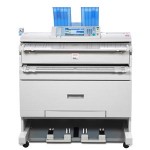
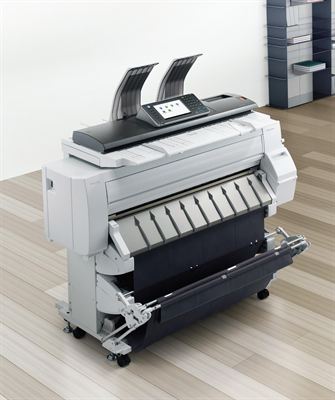
Ricoh Plotworks "Way To Screw Up the W3601"

Back in March of 2013 I was alerted via an email from a Print4Pay Hotel member that Ricoh would be updating the wide format W3601 and the only update would be the addition of PLP's Plotworks. Just to make it clear, any W3601 purchased by a dealer or direct branch will have Plotworks period. The MSRP of the W3601 went from $13,495 to $14,890. 

PLP Plotworks is Ricoh US answer to not having a true batch plot software, that went away many years ago when Ricoh parted ways with Ratio.

With Plotworks my price has increased by more than 27% for the addition of batch plotting!  Thus, I have many questions that will go unanswered, and I'll start with; Did anyone in the Ricoh wide format division ever think of asking end users of the W3601 if they needed batch plotting, or better yet, did you ever think of contact some of your reps and ask them if Plotworks was needed for the W3601?   I've been selling wide format Ricoh devices since the inception of the W240 and after Ratio software went away I was bummed because we would lose the batch plot software. Little did I know that at least 80% of my end users had no need for the Plot Client Win (Ratio batch plot software), I didn't find this out until I started asking prospects if they needed batch plotting because of Ricoh dropping Ratio. Yes. I lost a few deals on the W3601 because I did not have a batch plot program, but I've one far more deals without the need for Plotworks because I was able to be competitive!

I'll admit we need a batch plot software on the higher

Saturday, May 4, 2013

Ricoh MP C300HW and MP C300HT Spec Review

On April 17th Ricoh added two additional MFP's that are specifically designed for the Healthcare Industry.  Loyal readers may remember that a few years ago I mentioned that the next "Big Thing" is that manufacturers would start designing and introducing vertical market imaging systems. It seems Ricoh is practicing what I preached at least for the Healthcare Industry.

Both of these systems are similar to Ricoh's MPC300 (Color) MFP system that was launched a little over two years ago.  The major difference between the MPC 300HW and the MPC 300HT is that the "HW" model will be able to print patient wristbands (from the paper tray) from electronic medical records.  It's my understanding that this feature will enable users to eliminate expensive single purpose thermal printers.  Both the HW and the HT model are both equipped with Teflon Coating paper trays which can assist in minimizing paper misfeeds and the ability to print on wristband stock

What we'll do is go over a few of the specs for these new devices:

Sunday, April 28, 2013

MFP Solutions Top Ten Copier & MFP Blogs for April 2013

Last month I posted "MPF Solutions Top Ten Copier and MFP Blogs for March 2013 and I made a mental note of one particular Blog I wrote titled 10 Awesome Tips for a Great MFP/Copier Demo.

I wrote this Blog in August of 2012, last month there were 856 reads, this month increased to 956 reads for the month.  Total reads since August now stands at a little over 9,000 reads!!! All I can say is thank you. I did post a follow up Demo Blog titled The "Art" of the Copier & MFP Demo which I thought was better, but who am I to argue with over 9,000 reads. Thank you!!!


Friday, April 5, 2013

End of MFP Copier Lease Equals Balloon Payment?

As I was checking through my alerts tonight, I came across and interesting topic on a web forum. The topic "Ricoh End Of Lease Issues" was posted by an IT Administrator.  His biggest beef was the fact that a Ricoh salesperson had stated that they could not just return the (currently leased) MFPs back to Ricoh; there will be a substantial payment to do so. Even with the contract concluded, and no interest in keeping the machines.

It seems to me that the administrators frustration is the large balloon payment, and they were not getting any help from anyone with Ricoh to give them an itemized breakdown of the costs associated with the balloon payment.

Now, it's not uncommon that most people who sign copier leases do not read the lease, and when they do it's usually too late (meaning after the lease has expired). Thus I thought I would post a thread to help them understand a Fair Market Value Lease and why there maybe a balloon payment. In this case I think the balloon payment could be extra payments because the lease is in an auto renewal. In any case here's  the response I wrote:

FMV (Fair Market Value): There is also an evergreen clause in all copier leases, meaning you need to contact the leasing company within "x" amount of time prior to the expiration of the lease to notify them of your intention to either buy the systems or return them. If you do not

Wednesday, March 27, 2013

Top Ten Copier and MFP Proposals for March 2013


At least for me the first Quarter of 2013 has come to a close. Business was good, over 100% for the quarter and almost logged 200% for March, however April business seems like it might be marginal at best.  You know a lot of reps will say to themselves whoa is me, it's going to stink, I have nothing in the pipeline. While others realize it's time to pick up their game so they can work towards another solid month.  Which one are you?  I hope that from reading this blog that you are one of those that makes things happen!


Each month on the Print4Pay Hotel forums we'll upload "Pricing on the Street" quotes, these quotes are certified as accurate since the pricing information is emailed to us from other Print4Pay Hotel members in the field.

We'll also receive and upload quotes and proposals from other Print4Pay Hotel members and these quotes will be "the proposal or quote" that was emailed to the end user.

Each month I'll list those proposals/quotes and "Pricing on the Street" here with the associated links.  You need to be a Premium Member in order to download the documents.  So without further ado here's the top quotes from March 2013.  Enjoy!
-=Good Selling=-

Friday, February 8, 2013

BTA Winter Break 2013 Reveal

Day one is over and thank you for that!

It all started for me last night wondering if my flight out of Newark, NJ was going to be cancelled due to the snowpocalypse that hit the northeast today. My flight was delayed for about 45 minutes and I arrived in sunny and warm Orlando about 11AM.  A quick ride to the Rosen Shingle Creek Resort and then another ride to Rosen Centre Hotel placed me there is time to catch the keynote speaker.

Our keynote speaker was Martin Brodigan CEO of Ricoh Americas.  Martin spoke for about 45 minutes about a services led approach that our industry has a whole needs to embrace.   A couple of interesting points that Martin pointed out where:

Where the Industry is Going:

  • The affect is greater than first predicted, with the firms new "Tablet Demand & Disruption" survey showing that corporate printing has declined by 16% due to both tablet adoption and company measures to curtail printing (Morgan Stanley).
A recent survey of 700 US tablet users reveals 46% now print less and 41% argued that printing less was a "main benefit: of tablet adoption.

  • The worldwide mobile worker population is set to increase to 1.19 billion in 2013, accounting for 34.9% of the workforce. The U.S. will remain the most highly concentrated market for mobile workers with 75% of the workforce being mobile for 2013 (IDC)
  • The average mobile worker carries 3.5 devices (Forbes)
  • Employers are now actively promoting the expansion of their mobile workforce and technology is enabling continuous communication with outside employees outside of the office (Telework Coalition)
Martin also made mention that they (Ricoh) had not seen a decline of 16% in printing.  He also went on to point out that partners like Ricoh were responding by offering programs to dealers like the Ricoh CHAMPS program that would allow dealers to go wider and deeper in their existing accounts with business process solutions. Martin then took the time to answer questions from BTA members.

The BTA format is actually pretty awesome,  BTA members, and sponsors are all in the same room which allows BTA members easy access after every break to go and meet with the sponsors of the show.  The education sessions are maybe 1 hour tops and then a 30 minute break, so there is more than enough time over the two day event to network with other members, and to follow up with any business that needs to be addressed.

I was impressed with the amount of dealers that were not from the Southeast, I'm guessing that there were others that thought a trip to Florida in February is not a bad idea.

Over the next few days, I'll be blogging about the top 5 solutions or products from the BTA sponsors that caught my attention.    BTW, if you're not a BTA member, well....you should be. BTA does an excellent job with these events as well as their support for on going education programs for dealers.

-=Good Selling=-


Sunday, February 3, 2013

When Was the Last Time You Named your Printer or Copier?

"Can anyone come up with a fun and creative name for a Canon copier/printer? It's my job to name it since the office just got a new one the other day and I'm the new work study employee. All the other ones were named by previous work studies and were good like a leased Canon was Lisa Canon...since they leased a Canon. Thanks!"

Whoa, this was a thread I picked up the other day in my google alerts for a yahoo forum.  After 32 years in the industry, WTF,  I now find out that office workers actually give a name to the copier?

I have to admit that the old name for the Canon for Lisa Canon was pretty creative! Of course everyone could use the Lisa for Ricoh, Xerox, KonicaMinolta and the rest. So, I thought I would try my hand at thinking up some names for copiers.

Here we go ( I took these names that were popular in the Victorian Era:

Hope Xerox (hoping it works all the time)
Lottie Ricoh (we make a lot of copies)
Lulu Kyocera (our copier is a loser)
Benedict Arnold Toshiba (the copier never works right)
Dick KonicaMinolta (our copier sucks)
Nimrod Sharp (odd name for an odd copier)
Owen Savin (we owe a lot of money on this copier)
Pleasant Muratec (we like our copier)
Zebulon Xerox (it's our prized copier)
Newton Ricoh (we just got it)
August Kyocera (the month the new copier was purchased)
Merlin Toshiba (our system is amazing)
Avis KonicaMinolta (we're only leasing this system for a short time)
Beaton Sharp (we beat on this system all the time)
Charity Savin (a hand me down)
Eustace Muratec (our system is useless)
Faithful Xerox (always works well)
Hercules Ricoh (our system is a workhorse)
Marmaduke Kyocera (our system is huge)
Patience Toshiba (it'll work just give it time)
Postumus KonicaMinolta (our last copier died unexpectadly)
Temperance Sharp (sometimes it works and sometimes it doesn't)
Thurstan Savin (our system is always going through toner so fast)
Wy Muratec (why did we ever get this system)

I'm done, my favorites would be Hope, Benedict Arnold, Dick, Owen, Avis, Charity and Marmaduke.  But maybe we can name copiers and printers after rock stars right, these copiers and printers keep the wheels turning at the office everyday and with out them the paper process does start.  Think about Bruce, Billy, Mick, Ringo, Frank (I'm aging myself), and another thought might be to name them after songs like Sweet Home Alabama, Stairway to Heaven, Under My Thumb, Wild Horses.  

So, the next time I sell a copier, I will ask the new owner what name they would like to use for their new copier or printer, and I'm sure I'll get one of those strange New Jersey looks and be escorted to the door. Hey!  If you've got any really cool names drop them here in the response section!!

-=Good Selling=-


Tuesday, January 22, 2013

Top Ten Copier Proposals for December 2012


Alarming it's all I can say about a recent price/proposal I saw from a Kyocera Dealer that was quoting a penny per page for full color!  As I stated in a recent email to Print4Pay Hotel members if you're not aware of this new pricing strategy, well...then you're going to lose every deal!  Take a gander at these recent proposals from Kyocera and you'll see what I mean!

Each month on the Print4Pay Hotel forums we'll upload "Pricing on the Street" quotes, these quotes are certified as accurate since the pricing information is emailed to us from other Print4Pay Hotel members in the field.

We'll also receive and upload quotes and proposals from other Print4Pay Hotel members and these quotes will be "the proposal or quote" that was emailed to the end user.

Each month I'll list those proposals/quotes and "Pricing on the Street" here with the associated links.  You need to be a Premium Member in order to download the documents.  So without further ado here's the top quotes from Decemner 2012.  Enjoy!


-=Good Selling=-

Monday, January 21, 2013

Ricoh MPCW220SP Scanner Reveal

Within a few days Ricoh will be launching the new Ricoh CW2200SP wide format system.  For those of us that sell Savin, Lanier and Ricoh wide format, we've been waiting a long time for a color wide format multifunctional system that will copy, print and scan.

The CW2200SP will be Ricoh's first attempt at their own color wide format system,  they've had the piezo ink technology for quite some time however it was limited to their Gelsprinter line of color ink printers.

I was going to do a spec review, however I changed my mind and wanted point out what's unique and special in reference to the scanning function of this system.

Scan2 features:

If you're familiar with scanning on Ricoh MFP devices, then you're in luck, all of the functionality of scanning from Ricoh's popular MFP's has been adopted with the CW2200SP.

You'll be able to perform walk up on-the-fly color scan2email, just enter a users email address, you can also add a cc: a bcc:, a subject line and even a message (the large color screen will turn into a qwerty keyboard for easy typing), with a touch of the button the wide format document will be scanned and attached as a .pdf.

If you're not interested in color scan2email, you can adopt the color scan2folder. Just setup a folder on any ones PC, or you can even set up folders on your server.  With the AEC (Architects, Engineers, Construction)  industry you can set multiple folders maybe one for proposals, specs, bids, etc.

How about color scan2cloud, yup I've tested Ricoh MFP's with scan2dropbox and it works very well, you might even want to think about getting a middleware product like UDOCX for scanning to
sharepoint or MS 365.

An additional nice feature is

Wednesday, December 26, 2012

15 Critical Questions for Selling Wide Format in the AEC Market

I can't remember who I was speaking to, might have been my new sales manager, yup I think it was, and we were having a conversation about print/copy volumes.  I brought out two points where I don't believe print volume will decrease, one is with the Production Print market and the other is with the AEC (Architects, Engineers and Construction.  I agreed that while pages may decrease with the multifunctional print devices (copiers, printers, fax), I do not believe they will decrease with CAD drawings.  There's just too much going on with those documents and while you might be able to read a document or view an invoice with a tablet, you really need that piece of paper (blueprint/blackline) laid out in front of you to see the whole picture of the big plan.

Back in 1998 I got my first introduction to wide format analog systems with Ricoh.  In the late nineties it was still an analog market.  On any given day you could find and AEC account with an ink plotter, a diazo copier and an analog wide format copier.  In 2003 or 2004 Ricoh intro'd the 240W which was the first digital wide format MFP with a small footprint and under $15k that would scan, print, copy, collate, reduce, and enlarge.  

The Ricoh 240W was an immediate hit, almost everyone wanted one, and we couldn't keep the bad boys in stock.  I'll admit during the year or so I was an order taker, and I was not ashamed of that. After the first year though, we as sales people had to dig deeper to get the additional 240W sales. One of the most effective ways was to conduct and ROI (return on investment) analysis of the the potential customers wide format print devices.  ROI selling is usually a slam dunk, here it is in black & white you're paying this month to run these devices with maintenance, supplies, service, parts etc.

Years ago I put together a spreadsheet for wide format devices, in this spreadsheet I had the cost per page for inkjet plotters, print heads, plot paper, vellum, translucent bond, toner, developer, pm kits. I broke it all down to a cost per page.  From there I developed three different spreadsheets to help with different types of analytics.

From this spreadsheet, I was able to ask one key question that would determine whether I would be able to offer the client an immediate ROI (and make a decent GP) on the existing way they were using their equipment.   To say the least it worked and is still working today, the spreadsheet is my holy grail for wide format selling. 

What's changed in wide format in the last ten years?  

Not that much,  6 page a minute systems now sell for the price of 4 page a minute systems, printing and scanning requires no additional software and in North America Xerox has left the market.  Yeah, one other item, there is now a plethora of ink jet CAD wide format printers out there.  Which also means there's a huge potential for upgrades to the less expensive toner based wide format MFP's.  Like most crappy little ink jet printers business users/owners have no clue to the actual per page cost of these wide format ink plotters.  That's where my spreadsheet comes in, with one question I can tell you if they are a potential prospect or not. After a short 15 minute meeting I can tell them how much I can save them with migrating to a toner based LED wide format system! 

It's not about waiting for the customer to call you and ask "how much for this system"?, it's about you getting a little deeper with the account and asking. "how much is all of this costing you"?  

I always told my son, there are no short cuts in life and that's true. However there are some short cuts in sales, and for $19.95 you can download my "ROI wide format spreadsheet". Trust me,  this is really nice spreadsheet with comments, tips, paper pricing, some consumables and the "15 right questions to ask". 

Click here for Buy it Now, or you can join our Premium P4P Hotel Membership and you'll be able to download it for free along with the rest of our awesome documents. Anyone who downloads the document or becomes a Premium Member will also be entitled to a walk through of the document (if needed).

-=Good Selling=-

Sunday, December 23, 2012

Ricoh A3 Color Envelope Printer by...

There's been a lot of threads on the Print4Pay Hotel forums about the Xante Impressia which is powered by the Ricoh SP831DN print engine. I posted a few blogs in reference to the Ricoh SP831DN printer and my first blog about a "Print Shop in a Box" in 2007 . Which can be found here and here.

I learned many years ago that you don't have to buy the expensive offerings from companies like Xante, in fact you can build your own envelope press by purchasing an envelope feeder and an output conveyor.  In one of my accounts we installed an Ricoh Color  printer A4 version and added four paper trays and for under $4,500 we had an impressive A4 color envelope printer.

I ran across this video the other day in reference to the Impressia and thought our readers could take a look at the latest and greatest in color technology.  If you're interested in the Ricoh version then send me an email to art@p4photel.com

-=Good Selling=-


Saturday, December 15, 2012

Oki & Ricoh "My Top Choices for Print Shop in a Box"


The print4pay market, some will say it is one of the hardest accounts to break into and others will say they are the easiest to breakdown the walls and establish long term relationships.

As B2C color improves, along with improved thick stock media ability, there are a few color printers that I'll refer to as a "Print Shop in Box". You might ask what's a print shop in a box, I got this saying from a printer in New Jersey that referred to his color printer as a "Print Shop in a Box" and the term has stuck with me. That printer was referring to the quality of color, the ability to handle many different types of media (envelopes too), and the ruggedness to run 60K, 70K or more worth of prints per month!

When I look at some color laser printers that would fit the mold of the "Print Shop in a Box", the Oki PRO920WT, Oki pro511DW and the Ricoh C831DN have what it takes.  I'm thinking we'll see many additional "niche" type printers as the demand for office printed page declines.

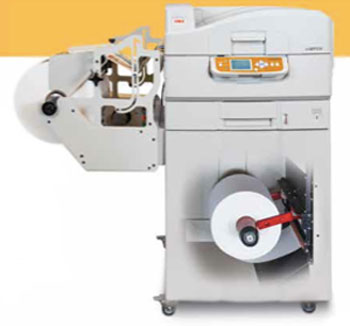
We'll take a brief look at the Oki pro511DW. Imagine this a color A3 LED printer that will print full color labels with variable data from a roll of media (3 inch core) ! I love the concept, have never seen one, but wish I was able to sell some of  these.

Here's a quick run down with specs:

Sunday, December 9, 2012

Ricoh Color SPC831DN "Top Ten Features"

In last weeks blog on the Ricoh SP831DN we focused on hardware specs, this week we'll tell you more about some of the awesome print features that come with the Ricoh SP831DN Color Printer.

Printer driver features is not something you can learn from reading the brochure, nor when you are looking the printer up on line to review pricing. Most end users and sales people ignore the awesome printer driver features and options that are included with laser printers. Thus a customer could purchase a laser printer and never be aware of the advanced printer driver features/functionality that are available, and some of these features are capable of improving business process and cutting costs.

Top Ricoh SP831DN Printer Driver Features:

  1. Black Over Print: Black over print is available to enhance the quality of  text and black images  printed on colored backgrounds. Think of it this way, the color image is printed first and then the black text and graphics is printed last, thus this will prevent blurred text or haloing with the final rendering.
  2. CMYK Simulation Profile: When using the Ricoh Postscript 3 driver, you can turn on US Offset Print CMYK Simulation Profile which enables a color profile that closely reproduces colors that are used with ink based commercial offset printing in the US. Even though this feature will simulate SWOP (Simulated Web Offset Printing) it is genuine SWOP an is not supported.  When I've used this feature with other print devices I've found that it gives you an additional way to reproduce or come close to the colors of your choice.

Sunday, December 2, 2012

Ricoh SPC831DN Print Shop in a Box "The Reveal"

A few years ago when Ricoh introduced the Ricoh SPC811DN, I dubbed that printer as a "print shop in a box".

Funny that Xante is now using the same line with the their new color laser envelope press named IMPRESSA which happens to be OEM'd by Ricoh.  I'm guessing Xante may be ending the relationship with Okidata?  If that's the case I can see why, I've seen two placements of Xante's Illumina (Okidata engine) and both print shops abandoned the systems because they couldn't find a reliable service organization to service the product properly. Enough on Xante.

I fell in love with the first generation model which was the Ricoh C811DN and then the second gen which was the Ricoh C821DN and I'm thinking the Ricoh C831DN will be the color laser printer of choice where users need excellent quality, variety of media than can be used, reliability and backed by a powerful dealer service network.

Actually there are two models to choose from, the SPC830DN (45 page per minute print speed) and the SPC831DM (55 page per minute print speed).  To keep this simple we're going to concentrate on the specs for the Ricoh SPC831DN.

The Specs at a Glance:

Sunday, November 25, 2012

Ricoh SP8300DN Spec Review "the reveal"

I ask you, when was the last time you hugged your printer? Odds are you haven't just because there's not much too like about laser printers these days.  You know the ones, they have the low purchase price and a very high cost per page for the consumable items.

Lately many manufacturers have lowered their toner cost to lure you in, yet they forget to tell you about the other consumables items that are needed (the manufacturer treats these as parts), fuser, maintenance kits, transfer kit, drum, etc.. So, there's not much to like about these systems especially when you want to print some volume.

At this time Ricoh offers three A3 (printers that will print 11x17 size document), the SP 6330N (35 pages per minute), the SP8300N (50 pages per minute) and the SP9100DN (75 pages per minute).

Saturday, November 17, 2012

To Ricoh "What I Want for Christmas in 2013"

In Nova Scotia, during the twelve days of Christmas small groups of belsnicklers, or masked mummers, appear in neighborhoods, ringing bells, making noise, seeking candy or other treats. The hosts may try to guess who the mummers are and if they guess right the mummer removes his or her disguise and stops making rude noises and actions. Children may be quizzed by the mummers on their behavior if they say they have been good they are rewarded with candy. Thanx to Santas Net.

This will be the third year I've written a blog about "What I Want for Christmas".  If you'd like to read the others follow the links To Ricoh "What I Want for Christmas in 2011" and To Ricoh "What I Want for Christmas in 2012"

Here's my list for Ricoh this year:

  • 60-90 page per minute A4 MFP's Color or Black
  • 4 PPM Toner based Wide Format MFP with Color Scan for the USA market (You gave this to Australia and Europe buy not the Americas)
  • Hi Speed Network Scan Station that will scan at 100 image per minute plus along with a 200 page document feeder and the ability to scan2email, scan2folder and scan2cloud (I really want this one the most)
  • Wide Format Inkjet MFP that will Color Print/Color Scan and Color Copy
  • A4 Color Envelope Press with Color Matching
  • A3 Color Envelope Press with Color Matching (Dam, you gave this to Xante but not me!)
  • A Full Size Color Screen for the MPC305 and MPC301 (If you can get me this, could you get me a real good pair of glasses so I can see the screen on these models)
  • How about anything with the memjet print engine (before Xerox and Toshiba brings theirs to market)
  • You promised me ICE (Integrated Cloud Environment) last year, can you bring this to me this year?
  • MFPs that will have standard scan2OCR, scan2print and create search able pdf's (everyone else has these, why not me).
If you'd like to anything to the list, please do so in the comment section!

-=Good Selling=-

Selling Copiers & MFP's "Running With the Big Dogs"

What's the Golden Rule when selling office equipment? Know your competition or least what they are quoting.

Ever notice every time you walk the dog that he or she stops at every tree or fire hydrant, ever wonder what they're doing?

They are checkin out the competition. Who's who, whose doing what and where ya been! Amazing that they can find all of that out in a few whiffs of hydrant!

Well, we as sales people need to know the competition as well, what they're up to, what's their current maintenance pricing, leasing rates (did you know you can figure out the lease rate by backing out the payment), special promo's, or just how they are positioning themselves with the customer.  I just had a quote given to me a few days ago and there was some good value statements that I'll migrate to my quotes and proposals, so by being able to read the quotes and proposals from the competition you may be able to tweak your proposal and borrow from others!

Here's some threads I've uploaded to the P4PHotel Message Boards, click the links and you'll be brought to the page.

Canon IRC 2030 Proposal
Competitive KonicaMinolta proposal vs Toshiba
Canon imageRUNNER Advance 6065 proposal
Canon imageRunner Advance C7065
Konicaminolta bizhub25 proposal
"Pricing on the Street" Ricoh MPC4502

The Print4Pay Hotel includes boards for Ricoh Family Group, Kyocera, KonicaMinolta, Sharp, Toshiba, Canon, Muratec and Xerox.

-=Good Selling=-

Wednesday, November 14, 2012

Looking for MFP & Copier Leads in All The Right Places

I've borrowed a few lines from a blog I did about three years ago in reference to finding leads and then updated with a few new ones for everyone. 

Have you ever heard of the "three foot rule"?  It means that whenever you get within three feet of someone you should be talk solutions/MFP's or even how do you do this or that.  It sounds kind of lame, but you need to sneak it in somewhere.  I could have the worst week, month or even quarter however I always look at it that I never know what tomorrow will bring me, it's inevitable that continued prospecting will always generate new opportunities that you were not counting on.

Over the years, I found leads I've generated opportunities because I always ask myself how did they print this or make it look this way.  Here are 5 opportunities that came my way over the years.

1) The first one was a paper store; I had to buy specialty paper to run some print samples for a client. As I was making my purchase, the clerk printed a sales order/sales receipt on a dot matrix printer with pre-printed three part carbon less paper.

It clicked; I asked the clerk why do you print these like this? He just gave me a dumb look and stated "cause that's the way the boss does it", okay I thought. I then asked for the owners name and the best time to contact him. Done, it's a lead and a solutions lead at that. Pre-printed carbon less forms can run as high as .25 cents each or higher. Now it's just a case of finding out how many forms are printed each and every month to make a viable ROI presentation.